The challenge
Embedded engineers work across more tools than most developers. One task can mean a serial console for a board, an SSH session to a gateway, a TCP connection to a device on the network, a separate utility to find out what is plugged in, a datasheet open in another window and the code repository in an editor. Each tool has its own window, its own history and its own habits.
That tool sprawl costs focus. Working out which device is on which port, remembering what was run in an earlier session and checking a detail in a datasheet all pull the engineer away from the problem in front of them. General-purpose AI assistants help less than they should, because they do not know the specific chip, board or codebase, and a confident wrong answer about hardware is worse than no answer.
- Local, SSH, serial and TCP sessions spread across separate tools
- No single view of the USB, serial and LAN devices available
- Session history and documentation scattered across machines and folders
- AI help that is not grounded in the actual datasheets and repository
What I built
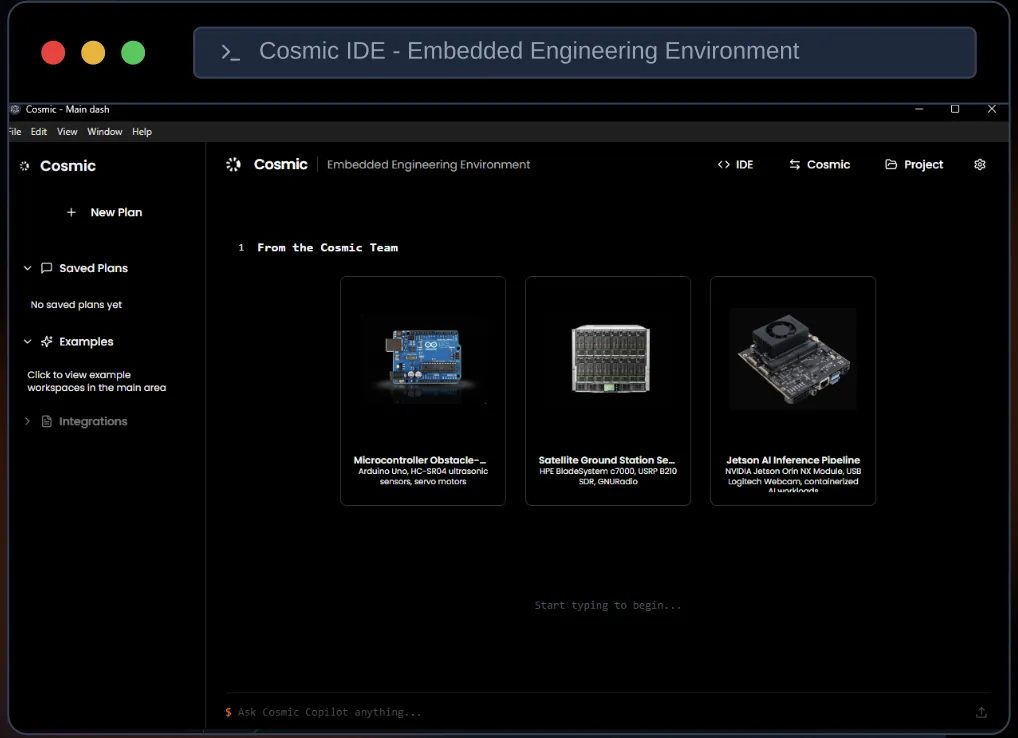
I designed and built Cosmic IDE as a terminal-first Electron desktop app. A desktop shell was the right choice: embedded work needs direct access to USB and serial ports and the local network, which is far simpler to reach from a desktop app than from a browser. The interface is React and TypeScript, built with Vite, styled with Tailwind, with application state managed in Zustand and Node.js underneath.
The terminal is the centre of the product. xterm.js powers multi-pane sessions, so an engineer can run local, SSH, serial and TCP sessions side by side in one window. Universal discovery scans USB, serial and LAN devices, so the question of what is connected, and where, is answered inside the tool rather than with a separate utility. Cytoscape renders an interactive network topology, giving a visual map of the network the engineer is working on.
SQLite stores sessions and documentation locally. Session logging means work can be reviewed later instead of being lost when a terminal closes, and bundled documentation keeps reference material inside the IDE rather than in yet another window.
Cosmic Copilot is the AI layer. Rather than rely on whatever a general model happens to know, a local RAG package retrieves from datasheets and repository context and grounds the copilot’s answers in that material. Keeping the retrieval package local means the copilot works from the same files the engineer is using, not from a generic picture of how hardware usually behaves.
- Electron shell with React, TypeScript, Vite, Tailwind and Zustand
- xterm.js multi-pane terminals for local, SSH, serial and TCP sessions
- Universal device discovery across USB, serial and LAN
- Cytoscape interactive network topology
- SQLite for sessions and docs, with session logging
- Local RAG package grounding Cosmic Copilot in datasheets and repo context
Architecture and stack
- Desktop shell
- Electron · Node.js
- Interface
- React · TypeScript · Vite · Tailwind CSS · Zustand
- Terminals & devices
- xterm.js · SSH · Serial · TCP · USB / serial / LAN discovery
- Visualisation
- Cytoscape
- Data & AI
- SQLite · Local RAG package · Cosmic Copilot
Outcome
Cosmic IDE gives embedded engineers one workspace for the jobs that used to need several tools: finding devices, opening sessions to them, seeing the network and looking things up. Session logging and bundled documentation cut the context switching that comes with tool sprawl, and multi-pane terminals keep related sessions in view together.
The copilot is grounded in the material that matters for the job in hand, the datasheets and the repository, rather than general knowledge. That makes its answers easier to check against the source, which matters in a field where a wrong register value or pin assignment costs real debugging time.
For teams building AI into technical tools, the project shows the pattern I recommend: put the assistant inside the workflow, ground it in the team’s own documents with retrieval, and make sure the core tool is useful on its own, with the AI as an addition rather than a crutch.
Last updated 2026-10-03